

Articles on programming and configuration of Siemens PLCs from the S5 to the S7-1500.
Simatic S5
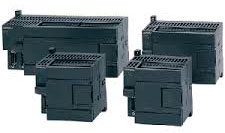
Simatic S7-200
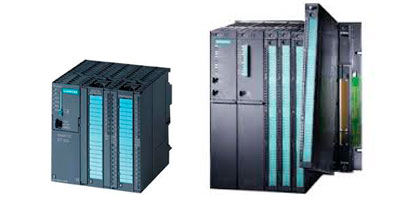
Simatic S7-300/400
- Communication between PC/PG and CPU S7-3xx/4xx via ISO Protocol
- Profibus Configuration between S7-300 and S7-200 EM277
- WinAC RTX Configuration — Turn Your PC into a PLC
- Creating a Multi-Instance FB
- S7 OpenModbus/TCP Simulation
- Example — FB14-FB15 SFB14-SFB15 GET-PUT Function
- CP 340 RS232 Configuration
- Big-Little Endian Conversion
- Creating an S7 Project with Integrated Simotion
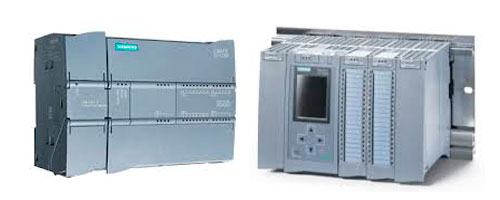
TIA Portal (Totally Integrated Automation)
- Simulation with PLCSIM and FluidSIM by FESTO
- Simulation with PLCSIM V.12
- Simulation with PLCSim Advanced
- Web Server Simulation with PLCSIM Advanced
- Simatic 1200/1500 Web Server S7-1200
- Simatic 1200/1500 Modbus TCP Server
- Simatic 1200/1500 Modbus TCP Client
- CB1241(RS-485) - CM1241(RS-232) Modbus RTU Configuration
- System Diagnostics and Diagnostic Viewer
- TIA Portal — Global Libraries
- TIA Portal — CP 1242-7 Send SMS
- TIA Portal — Upload Project: Which Version Do I Need?
- TIA Portal — GSD Installation for Cognex Cameras
- TIA Portal — Cognex Camera (Profinet)
- Example — Siemens PLC to Schneider PLC Communication via Modbus TCP
- Example — Tank Control with an FB
- Example — Hour Counter (Pump Running Time)
- Example — AT, Variable Decomposition
- Example — Indexed Text for HMI Notifications
- Example — Indexed Text for HMI Notifications II
- Example — Read Clock TIA Portal 1200 "RD_SYS_T" and Execute Daily Actions
- TIA Portal 19 — Get / Put
- TIA Portal (Central User Management)
- SQL Records with PLC S7-1500, Intercepted with Wireshark
- Temperature Control System (I)
- Temperature Control System (II)
- Version Control and TIA Portal (Part 1)
- Version Control and TIA Portal (Part 2)
- Version Control and TIA Portal (Part 3)
- Cognex Insight Explorer (Enable Profinet Protocol)
- PROFINET Fundamentals
- Upload Project from an S7-1200 to PC/PG (InfoPLC)
- Analog Signal Filtering via an FB (InfoPLC)