
WinCC Menu Configuration with VBScript (Login, Logout, Restart, ShutDown)
WinCC Menu Configuration & VBScript (Login, Logout, Restart, ShutDown)
Dedicated to my friend Mariano Martin. In this practice, we will consider that we are configuring a Menu for our application and within the menu, we will have options reserved for Logging into the System, Logging out, stopping the Runtime, Restarting, and Shutting down the machine, just to name a few examples.
We create our menu with the menu and toolbar editing application, assign the corresponding names, and add all the necessary items; in this case, we will only focus on what has been described.
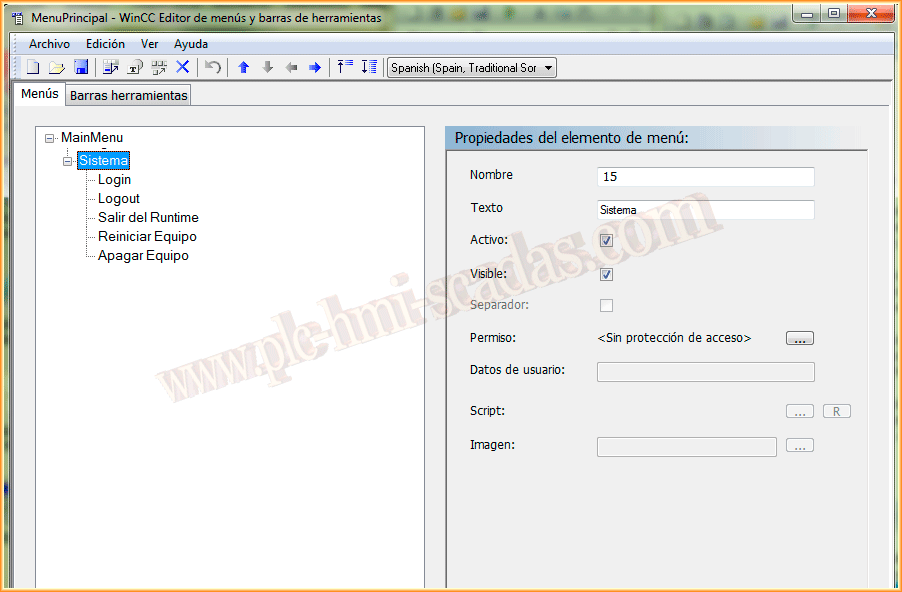
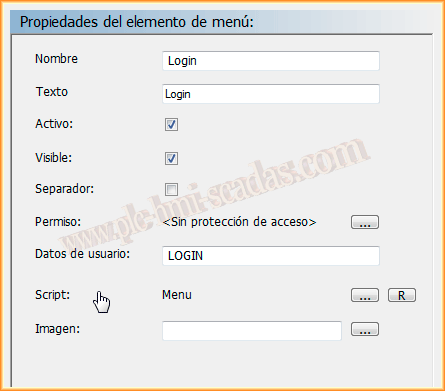
When creating the new items, we have the following fields: Name, where we assign a name to the Menu item, Text, which is the text that will be displayed, as well as whether it is active and visible; we have the option to configure access permissions.
But let's move on to the most interesting part, User data and Script. Well, the user data refers to the arguments that we will pass to the procedure we create for our Script.
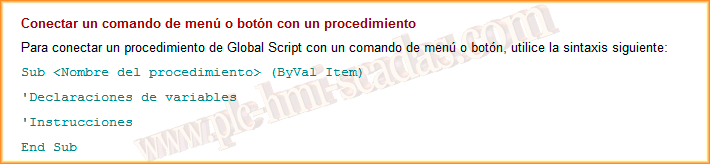
Before moving on to the example, we will take into account the help that WinCC shows us; the basis for our Script is based on the following syntax.
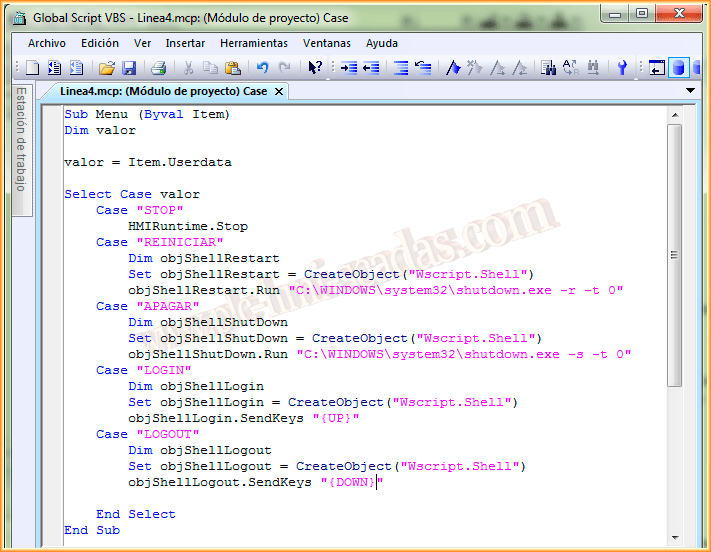
And here is the Script that will do what we want; with the Case STOP, we stop the Runtime, STOP is the argument we pass in the User data field or RESTART, LOGIN, LOGOUT, SHUTDOWN. Since by default in WinCC there is no function for the other cases, these can be a solution.
So far everything is perfect, but for Login and Logout, we will have to make another small configuration; we will create two buttons that can be hidden and we will put the following code in the OnClick Mouse event; with the first code, we do the login and the second serves for the logout.
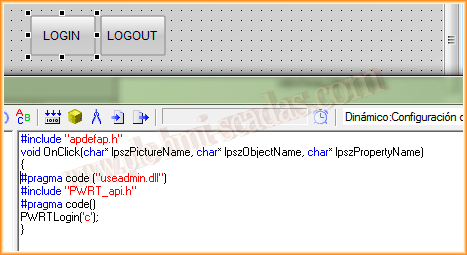
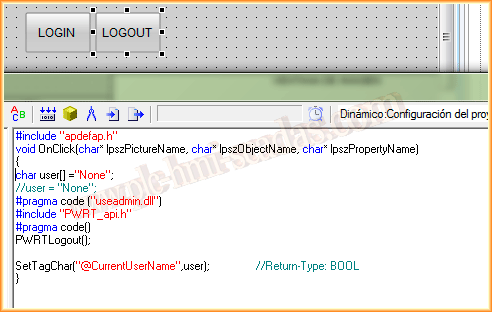
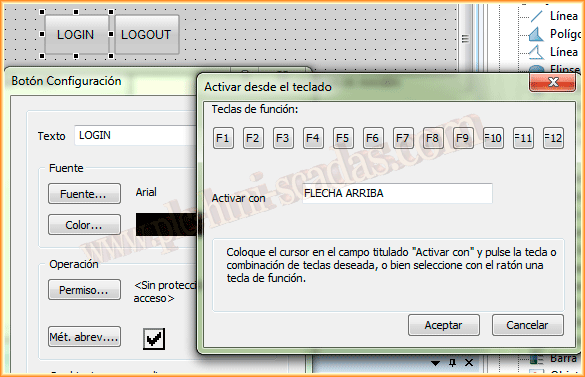
And at the same time, we will configure a shortcut key for each button, since our code in the Script is based on SendKeys, so for it to work, we have to make this option or ...
November 10, 2013
If you liked it or found it useful, share it ... :-)