
WinCC Control .Net KeyBoard
WinCC Control .Net KeyBoard
This time I am going to present another .net control, an idea to see if in the next versions of WinCC, they decide to create an ActiveX Control that at least has the properties of limit values, since from my point of view, when we have an Input/Output field and we enter a value that is out of range, a pop-up window appears, but with no further information, as shown in the following image:

To solve this, I have created a .net control, one of the very good features of WinCC, the creation of .Net controls as I described here.
In this one, I have created the main properties that we need to know about an Input/Output field as shown below:

And it is equipped with an event, so when we change the value, it writes it to the variable.
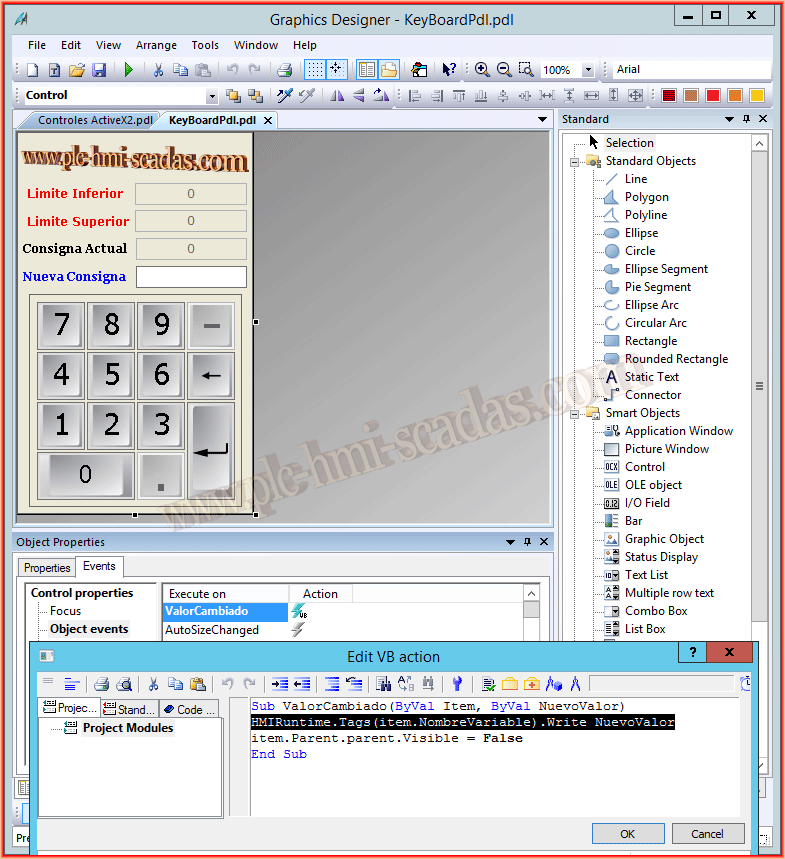
What we do is the following, in the fields that are Input and Output or Input, when we right-click we will execute the following script, if we right-click we will write as we usually do. To avoid having to copy the script into each field, we make use of VBA to loop through all the objects we have in our PDL or all the PDLs in our project and do all the work for us :-)

If you want to make your own keyboard, these are the properties that you will at least need and we pass them to our Keyboard, first we make the image window visible and then we pass all the information.
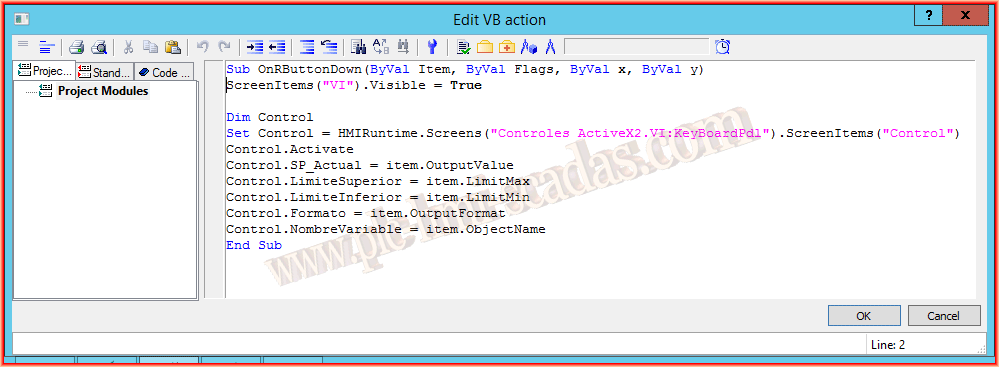
And here is a small demonstration video of its operation.
July 2, 2016