
Restore to Factory Settings
Restore Factory Settings on KTP
In the following practice, we will see how to solve when on our screen, for some reason... the following message appears, "This device contains Free Software see OP properties in the Control Panel for details"

To solve this, we will connect an Ethernet cable between our PC and our Panel; it does not need to be crossed since the KTP port is auto-crossing, or connect both devices to a switch and run ProSave, as we will restore our device to the factory image. First, define the type of panel we have and the type of connection we will use, we define the IP address of our panel.
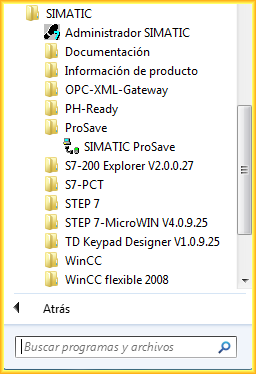
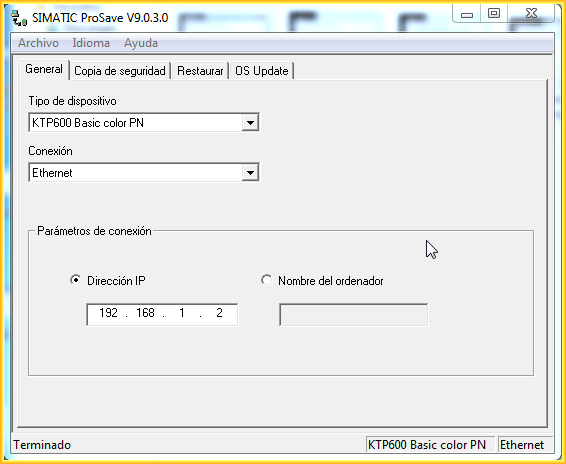
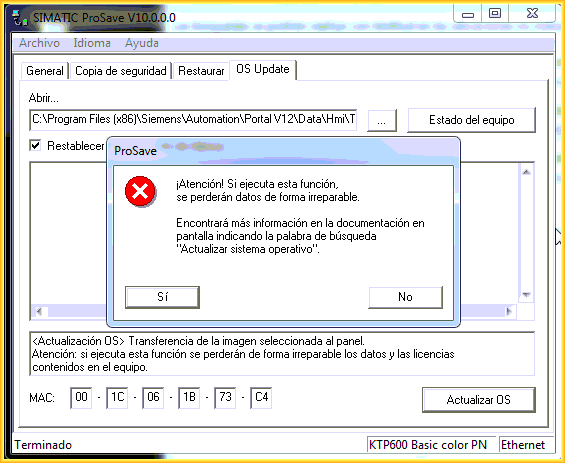
We switch to the OS Update tab; automatically, depending on the installed version, whether it is WinCC Flexible or Tia Portal, it will indicate the directory where the images are located. At this step, the most important thing is to select the checkbox Reset to factory settings, where input fields will automatically appear to enter the M.A.C address of our Screen.
A pop-up window will appear to notify us that the data will be irretrievably lost; we confirm with yes.

And from this moment the process begins...
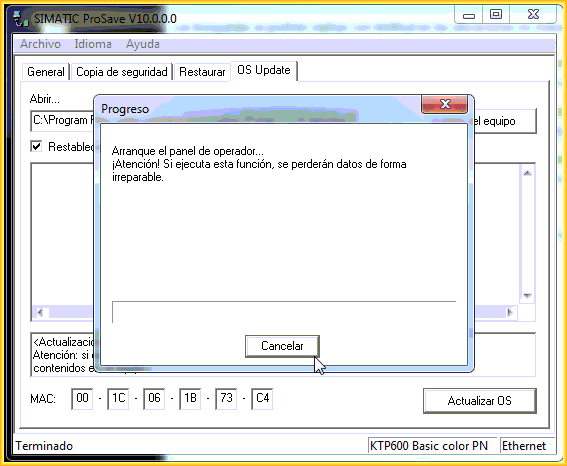

Followed by the transfer of all data and the loading of the operating system image. If everything is correct, a message will appear indicating that the transfer has been successfully completed. We can now reload our project and get back to work...


May 12, 2014
If you liked it or found it useful, share it...