
Configuration of PlaceHolders and Parameters
Configuration of PlaceHolders and Parameters
In today's practice, we will see the functionality of PlaceHolders and the creation of a new Parameters object. PlaceHolders are preceded by the hash sign # and the assigned name, and the number we use can range from 1 to 500.
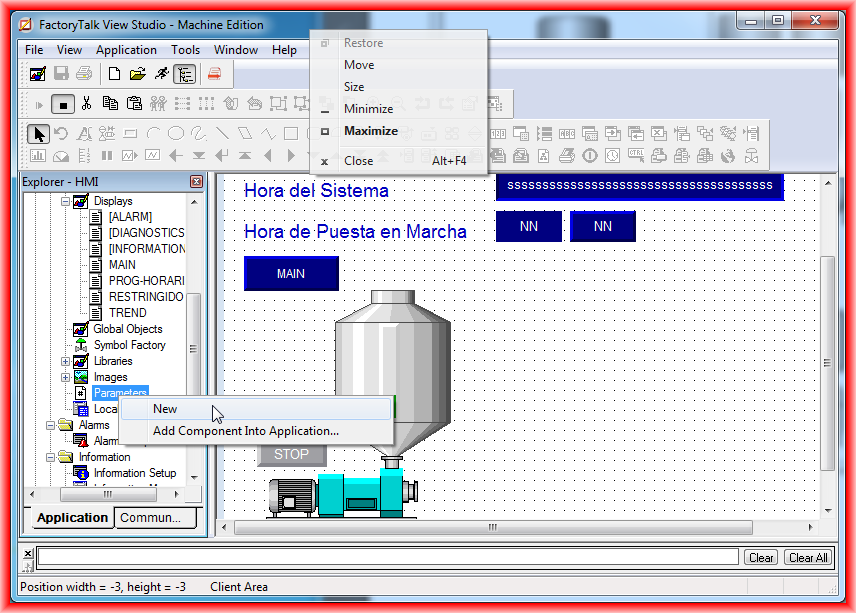
The configuration of these is done in a new parameters object, we create a new one with the right-click -> new as we have been doing every time we want to create a new object.
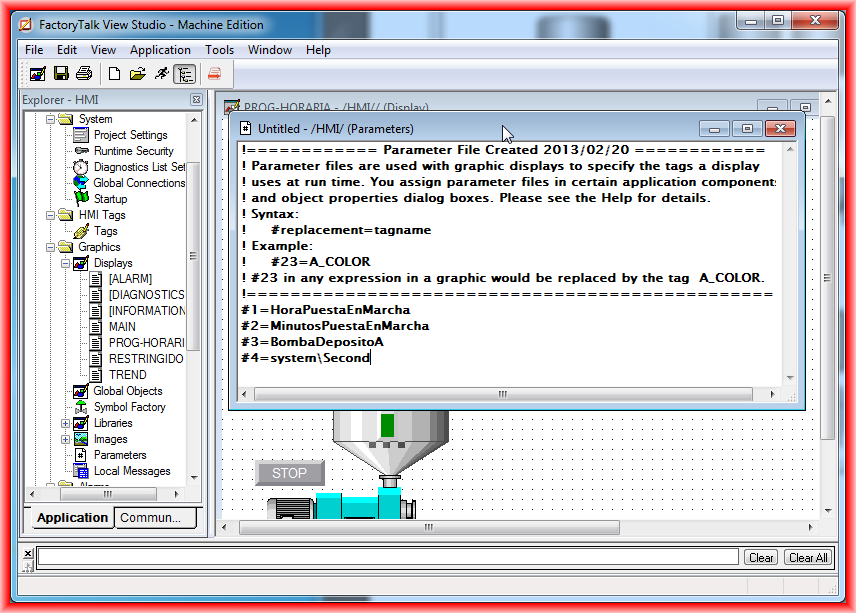
The creation of a new file (Parameters) looks like this, similar to a plain text file, where comments are preceded by the sign !. Here, what we do is configure the name we are interested in with the assigned tag. The example I am going to perform is the substitution of the assigned tags in the Display PROG-HORARIA, where I will replace the tags of the objects with those created here.
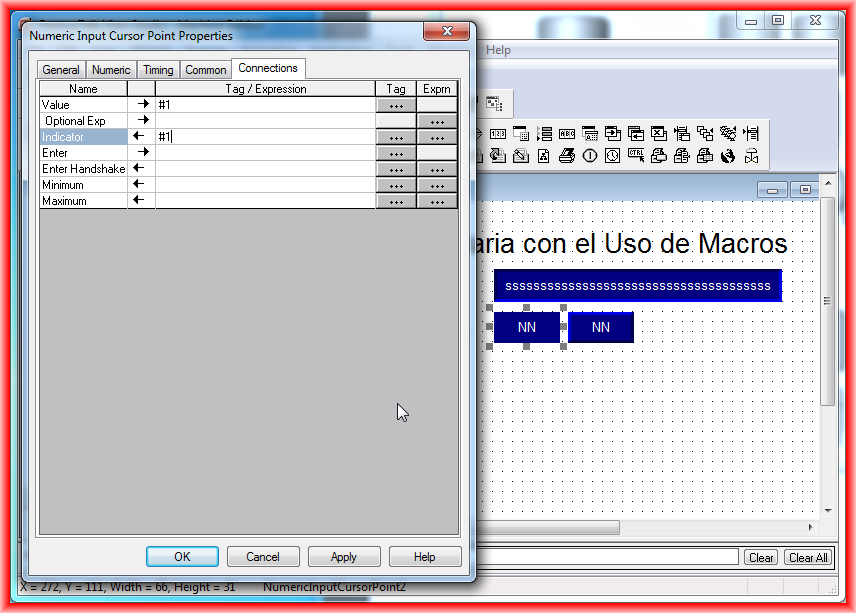
Following the detailed explanation above, I will now replace the various objects with their corresponding tag equivalent.
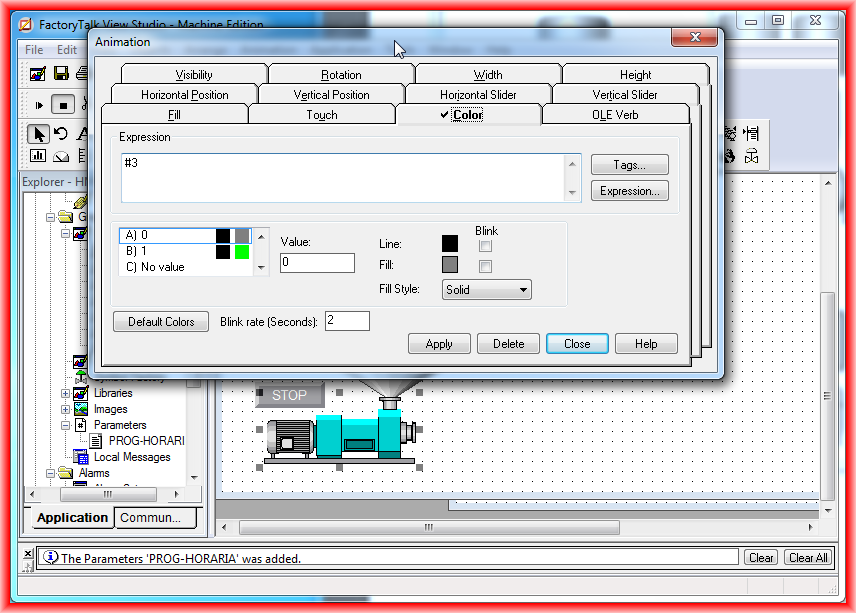
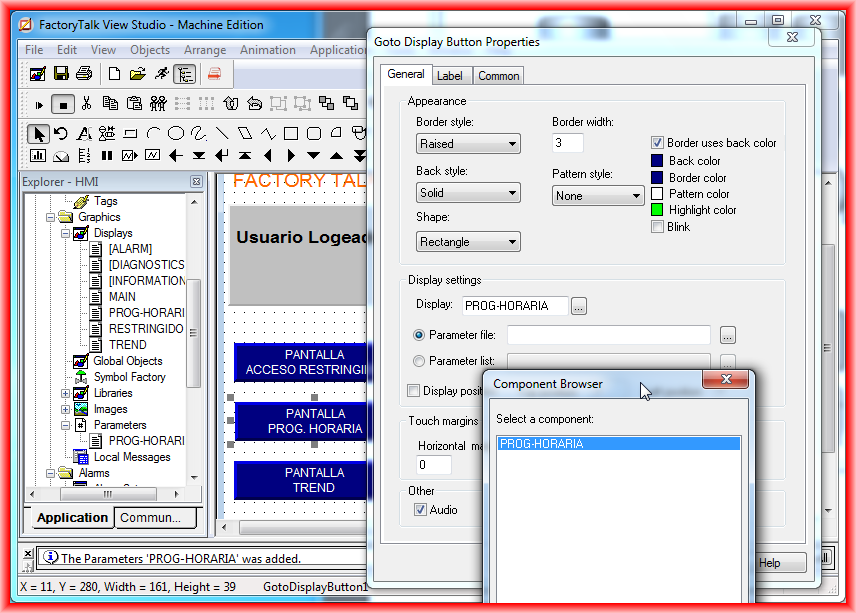
Finally, we will assign the list of parameters we have configured earlier to the GoTo Display button. This same procedure can be done for the different Screens we configure, as for the main image when running the Runtime, its list of parameters is configured in Startup.
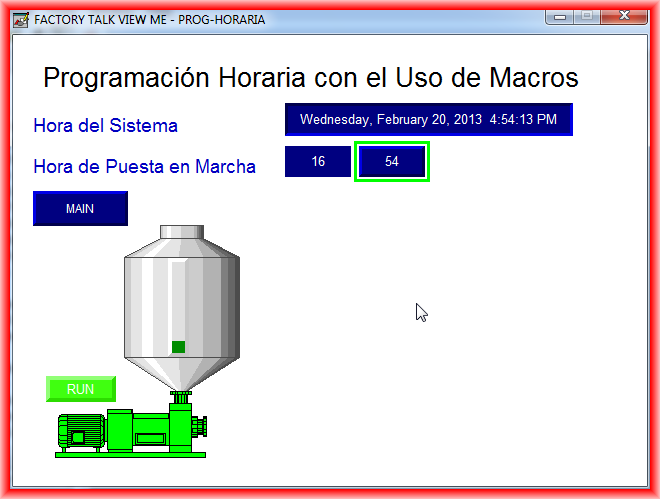
We run the Runtime to check its operation, as can be seen it works perfectly.
February 20, 2013