
CodeSys OPC Server
CodeSys OPC Server
This practice aims to configure the CodeSys OPC Server, which, to reiterate, is the same for ABB, which I am currently using.
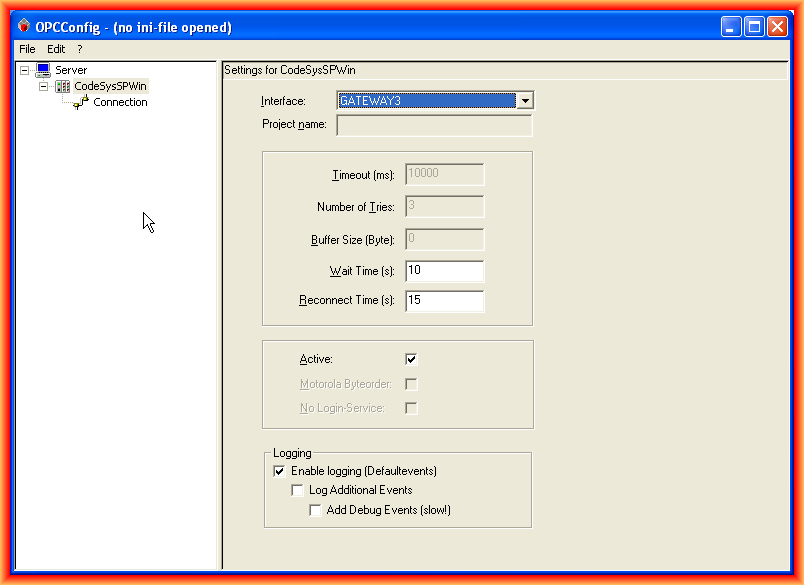
To make the configuration, we run the OPCConfig, and this is the interface; the first thing we do is Add a PLC.

We give it a name of our interest and select the type of Interface; it is important to highlight that depending on the version of CodeSys used, we will choose one or another. For version 3.x, we will use the one that adds the 3; this is my case, and I select GATEWAY3. The other values can be left as default.
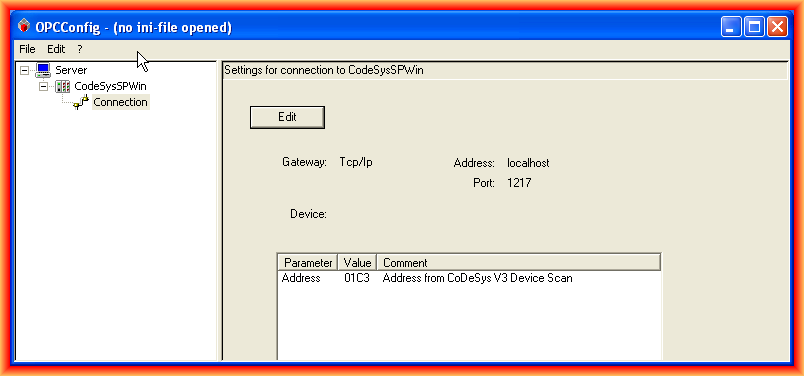
Once the Interface is selected, we go to Connection to configure how the connection with our PLC will be. We click the Edit button, and the following pop-up window appears where we configure the IP, port, and Address. Since our PLC is running on the same machine, we indicate the IP or localhost with the port.
The PLC address can be observed if we go to the device configuration as shown.

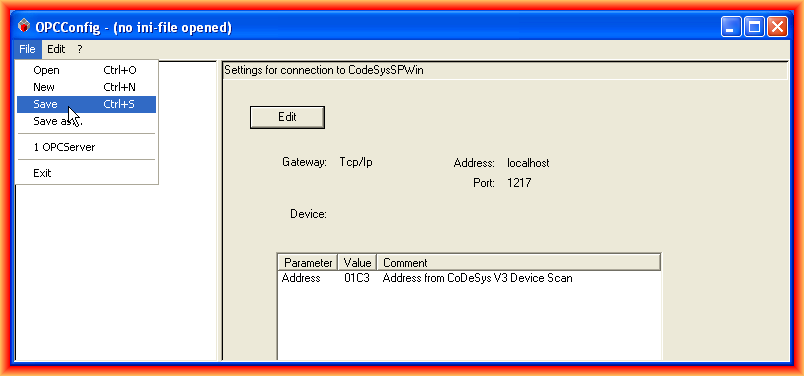
Once the parameters are configured, we accept and can save. The file that is saved, modified, and can be manually configured for any modifications is the OPCServer file found in the directory indicated when saving, along with the *.log file where it is recorded whether it has been configured correctly or if any error has occurred.

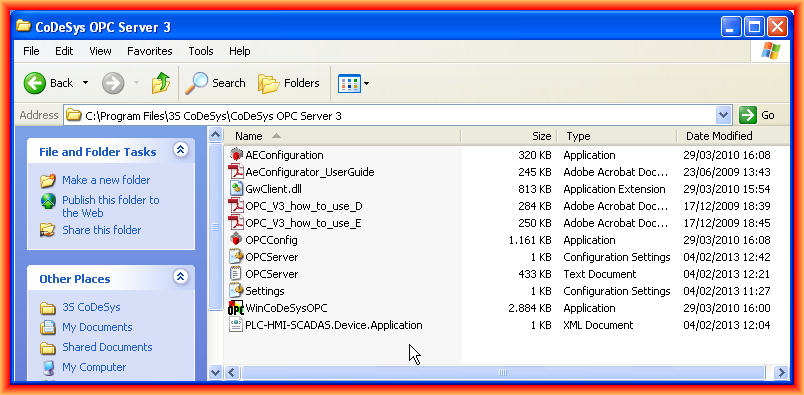
The following image shows the default directory when the installation has been completed. I have added the configuration file for the tags; this file is configured as we saw earlier and is created when the build is executed if all steps have been followed. I have tried without placing the file and had some issues when trying to load the tags; placing it has worked perfectly as will be verified.
And in the following image, our program is running, and the configuration of the OPC Client to access the Server and check its operation.
If the version of CodeSys 2.x is used, the configuration of the symbols differs from how we have done it; if anyone has any questions, please leave a comment.

February 5, 2013